
NIDAQ Tools MX: Details

With NIDAQ Tools MX you can:

  • Read analog inputs.
  • Scan analog inputs into Igor data arrays in memory.
  • Scan analog inputs to disk, then use Igor to pick out interesting parts later.
  • Set analog output voltages.
  • Generate arbitrary waveforms from Igor data arrays.
  • Digital I/O including static, timed and handshaking, depending on hardware support.
  • Control counter-timers for pulse train and one-shot pulse generation, period and frequency measurement, etc.
  • Control multiple DAQ devices simultaneously.

... and more.

NIDAQ Tools MX includes several pre-programmed control panels to provide a point-and-click interface to basic data acquisition functions. If these simple interfaces serve your needs, no programming is necessary. Use the panels as-is, or modify the procedure files to customize them for your own purposes.

More complex, customized applications can be created using Igor's built-in programming language, extended by NIDAQ Tools MX to include data acquisition and control functionality. Igor control panels can be used to make a nice user interface for DAQ systems.

Demo: Fully-functional, limited-time demo available. Can be used with demo version of Igor Pro.

Supported Systems: Any system that Igor runs on, and for which National Instruments has made available the NI-DAQmx driver software.

At present, Windows 2000 and Windows XP.

Igor Pro: Igor Pro 5.04 or later.

Hardware Support: Just about any National Instruments DAQ device supported by NI-DAQmx Software for Windows. That means it supports, among others, PCI E-series, M-series, S-series, USB modular devices, and a variety of devices for use with laptop computers. Certain older devices are not supported, such as the PCI-1200 series and the DAQCard 500 series.

Consult our list of supported DAQ devices.

Driver: National Instruments NI-DAQmx Software version 7.5 or later.

Compatibility: NIDAQ Tools MX is not backwards compatible with previous versions of NIDAQ Tools. It is sufficiently similar that re-writing Igor procedures that use the older versions of NIDAQ Tools should not be difficult.

We believe that NIDAQ Tools MX is easier to use, and the NI-DAQmx driver gives better performance than previous versions.

Legacy Version: NIDAQ Tools MX ships with a legacy version of NIDAQ Tools (version 1.53) for Windows 98, 2000 or XP. It works with NI-DAQ Traditional, or with NI-DAQ version 6.9.3.

This legacy version would be useful if you have pre-existing code that works with NIDAQ Tools (not MX), or if you have older hardware that is not supported by NI-DAQmx.

Macintosh OS 9: A legacy version of NIDAQ Tools is available that runs on OS 9 only, with Igor Pro 4 (non-Carbon version).

Macintosh OS X: Because National Instruments has not created the appropriate drivers for Mac OS X, we cannot offer NIDAQ Tools MX for Macintosh.
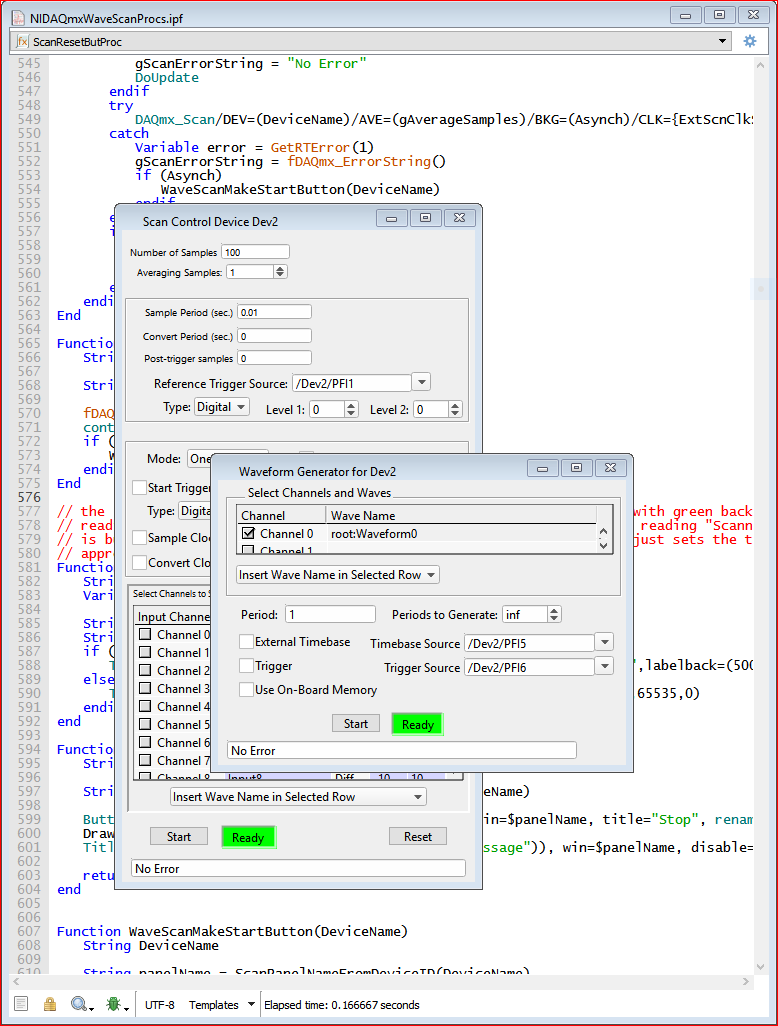

NIDAQ Tools MX Control Panels Example

Last updated: Tuesday, May 2, 2006

