awirsing awirsing You can create a graph that looks similar to the one you posted with the following macro code: Proc Graph0() : Graph make/t/o categoryWave={"A","B","C","D","E","F","G"} make/o lower={510,620,740,670,790,790,800} make/o upper={650,770,790,940,900,900,1000} upper -= lower PauseUpdate; Silent 1 // building window... Display /W=(35,44,346,350)/VERT upper,lower vs categoryWave ModifyGraph gFont="Helvetica Neue",width=255.118,height=255.118 ModifyGraph rgb(upper)=(0,0,65535) ModifyGraph hbFill(upper)=2 ModifyGraph toMode(upper)=2 ModifyGraph hideTrace(lower)=1 ModifyGraph tick(left)=3,tick(bottom)=2 ModifyGraph mirror=2 ModifyGraph nticks(bottom)=10 ModifyGraph standoff=0 ModifyGraph catGap(left)=0.6 ModifyGraph manTick(bottom)={500,250,0,0},manMinor(bottom)={1,0} SetAxis/A/R left SetAxis bottom 400,1020 EndMacro The involved key steps are: - Displaying the waves with swapped axes (the /VERT flag). - Using the 'add to next' grouping mode. A Attachments Graph2.png (3.46 KB) Log in or register to post comments November 27, 2010 at 02:21 am - Permalink





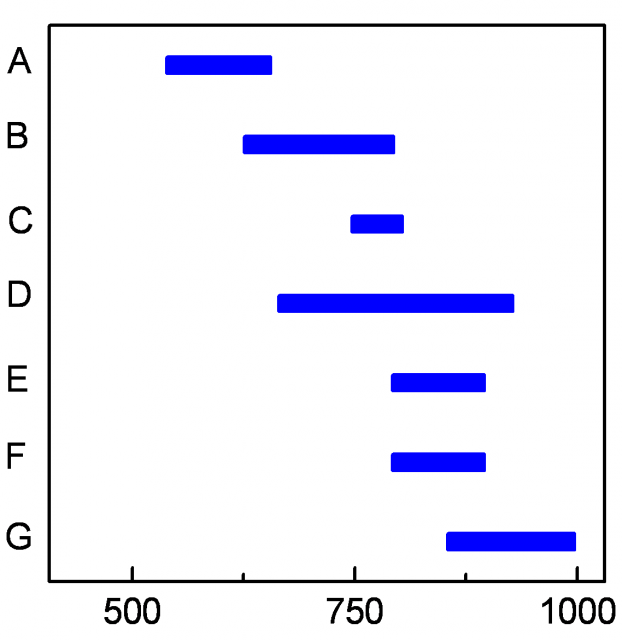
The involved key steps are:
- Displaying the waves with swapped axes (the /VERT flag).
- Using the 'add to next' grouping mode.
A
November 27, 2010 at 02:21 am - Permalink