

ピーク検出
取得したデータからピークを見つけることは、データのタイプによって異なる一種の芸術です。
ピーク検出を容易にするため、ベースライン(または「トレンド」)を除去することや、データを平滑化することが有効です。
正方向のみ、または負方向のみのピークが連続する場合:
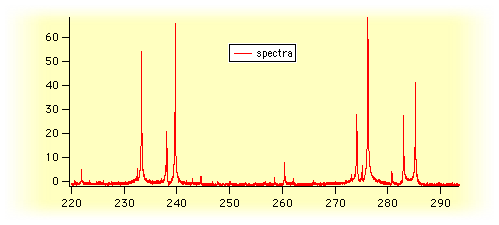
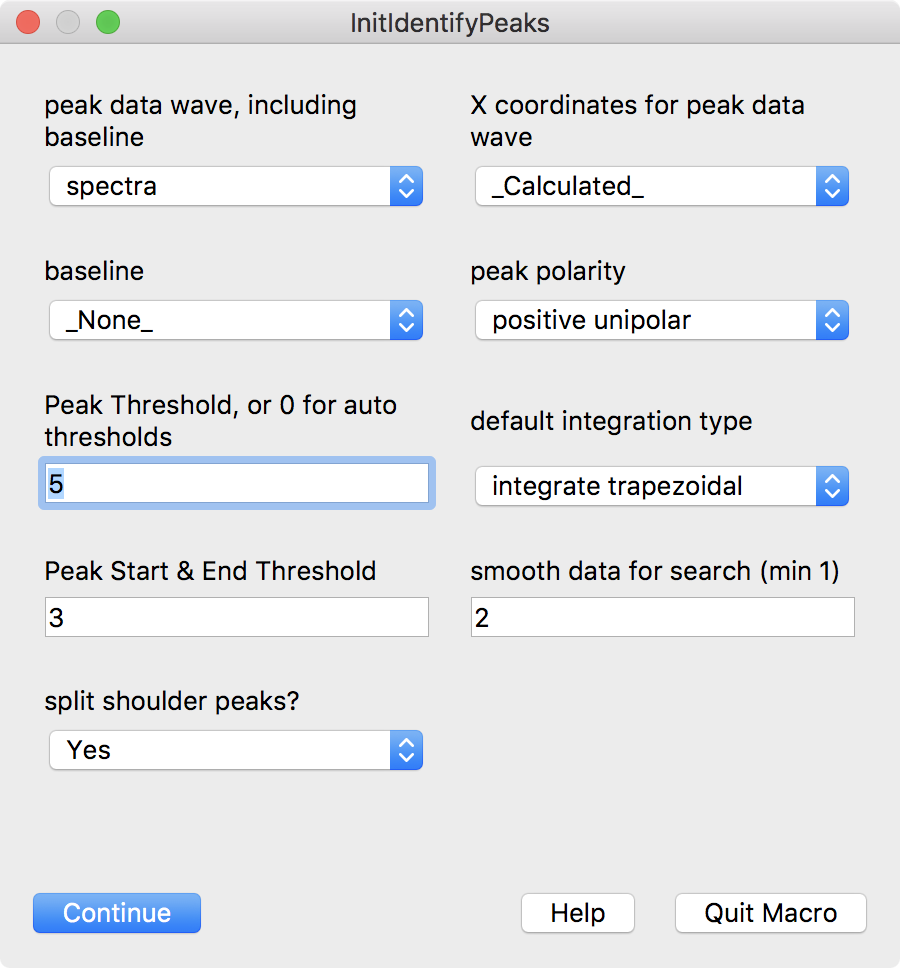
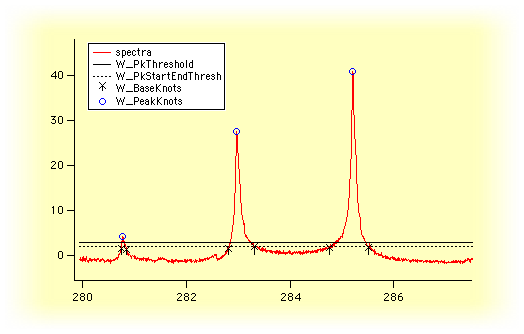
ピーク位置を自動的に特定するには、PeakAreasUnipolar.ipf プロシージャファイル(テクニカルノート #020-C Unipolar Peak Areas)を使用できます:
正負の値が交互に現れるピークに対して:
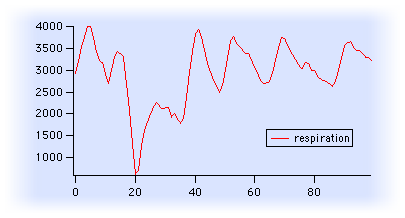
ピーク面積を自動検出、ベースライン構築、面積計算するには、Peak Areas.ipf プロシージャファイル(テクニカルノート #020-B Peak Areas の一部)を使用できます:
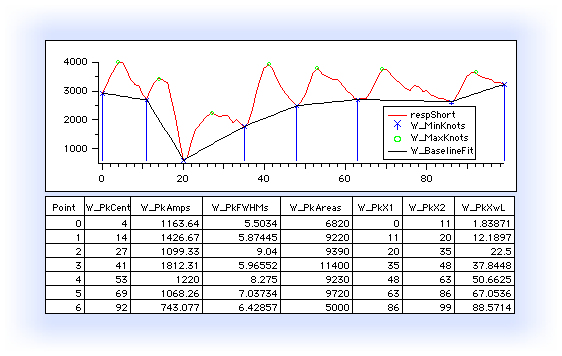
プログラミングに慣れているなら、Igor Pro の組み込み FindPeak コマンドをプロシージャ内で繰り返し使って、ピークの開始点と終了点を特定できます:
Wave w	// peak data
Make/O/N=(maxPeaks) peakPositionsX= NaN, peakPositionsY= NaN
Variable peaksFound=0
Variable startP=0
Variable endP= DimSize(w,0)-1
do
    FindPeak/B=(smoothing)/I/M=(threshold)/P/Q/R=[startP,endP] w
    // FindPeak outputs are V_Flag, V_PeakLoc, V_LeadingEdgeLoc,
    // V_TrailingEdgeLoc, V_PeakVal, and V_PeakWidth.
    if( V_Flag != 0 )
        break
    endif

    peakPositionsX[peaksFound]=pnt2x(w,V_PeakLoc)
    peakPositionsY[peaksFound]=V_PeakVal
    peaksFound += 1

    startP= V_TrailingEdgeLoc+1
while( peaksFound < maxPeaks )

if( peaksFound )
    Redimension/N=(peaksFound) peakPositionsX, peakPositionsY

    DoWindow/F ShowPeaks
    if(V_Flag == 0 )
        Display/N=ShowPeaks w
        AppendToGraph/W=ShowPeaks peakPositionsY vs peakPositionsX
        ModifyGraph/W=ShowPeaks mode(peakPositionsY)=3,marker(peakPositionsY)=19, rgb(peakPositionsY)=(0,0,65535)
    endif
else
    DoAlert 0, "No peaks found using threshold= "+num2str(threshold)
    KillWaves/Z peakPositionsX, peakPositionsY
endif
Multi-Peak Fitting パッケージは、Peak AutoFind.ipf プロシージャを使います。このプロシージャは FindLevel コマンドを用いて、データの平滑化された導関数を検索します。このプロシージャを使うには、次のように入力します:
#include <Peak AutoFind>
Procedure ウィンドウで、または Analysis→Packages サブメニューから Multi-peak Fitting 2 を選択します。ルーチンを表示するには、Igor Pro の Window→Procedure Windows メニューから Peak AutoFind.ipf プロシージャを選択し、ルーチンの使用方法の表示には Procedure Windows メニューから Multi-Peak Fitting 2.ipf を選択します。
以下は、Peak AutoFind プロシージャファイルを使う手順です:
#pragma rtglobals=1
#include <Peak AutoFind>

Menu "Analysis"
    "Automatically Find Peaks", /Q, MyAutomaticallyFindPeaks()
EndMacro

Function MyAutomaticallyFindPeaks()

    String wname, xdata="_calculated_"
    Variable maxPeaks=100, minPeakPercent=5
    Prompt wname, "Peak Wave", popup, WaveList("*",";","DIMS:1,TEXT:0,CMPLX:0")+"_none_;"
    Prompt xdata, "X values", popup, "_calculated_;"+WaveList("*",";","DIMS:1,TEXT:0,CMPLX:0")
    Prompt maxPeaks, "Maximum Peaks"
    Prompt minPeakPercent, "Minimum Peak Amplitude (% max)"
    DoPrompt "Automatically Find Peaks", wname, xdata, maxPeaks, minPeakPercent
    if( V_Flag != 0 )
        return 0    // user cancelled
    endif

    WAVE/Z w=$wname
    WAVE/Z wx=$xdata
    Variable pBegin=0, pEnd= numpnts(w)-1
    Variable/C estimates= EstPeakNoiseAndSmfact(w,pBegin, pEnd)
    Variable noiselevel=real(estimates)
    Variable smoothingFactor=imag(estimates)

    Variable peaksFound= AutoFindPeaks(w,pBegin,pEnd,noiseLevel,smoothingFactor,maxPeaks)
    if( peaksFound > 0 )
        WAVE W_AutoPeakInfo
        // Remove too-small peaks
        peaksFound= TrimAmpAutoPeakInfo(W_AutoPeakInfo,minPeakPercent/100)
        if( peaksFound > 0 )
            // Make waves to display in a graph
            // The x values in W_AutoPeakInfo are still actually points, not X
            Make/O/N=(peaksFound) WA_PeakCentersY = w[W_AutoPeakInfo[p][0]]
            AdjustAutoPeakInfoForX(W_AutoPeakInfo,w,wx)
            Make/O/N=(peaksFound) WA_PeakCentersX = W_AutoPeakInfo[p][0]

            // Show W_AutoPeakInfo in a table, with dimension labels
            SetDimLabel 1, 0, center, W_AutoPeakInfo
            SetDimLabel 1, 1, width, W_AutoPeakInfo
            SetDimLabel 1, 2, height, W_AutoPeakInfo
            CheckDisplayed/A W_AutoPeakInfo
            if( V_Flag == 0 )
                Edit W_AutoPeakInfo.ld
            endif

            DoWindow ShowPeaks
            if( V_Flag == 0 )
                if( WaveExists(wx) )
                    Display/N=ShowPeaks w vs wx
                else
                    Display/N=ShowPeaks w
                endif
                AppendToGraph/W=ShowPeaks WA_PeakCentersY vs WA_PeakCentersX
                ModifyGraph/W=ShowPeaks rgb(WA_PeakCentersY)=(0,0,65535)
                ModifyGraph/W=ShowPeaks mode(WA_PeakCentersY)=3
                ModifyGraph/W=ShowPeaks marker(WA_PeakCentersY)=19
            endif
        endif
    endif
    if( peaksFound < 1 )
        DoAlert 0, "No Peaks found!"
    endif
    return peaksFound
End
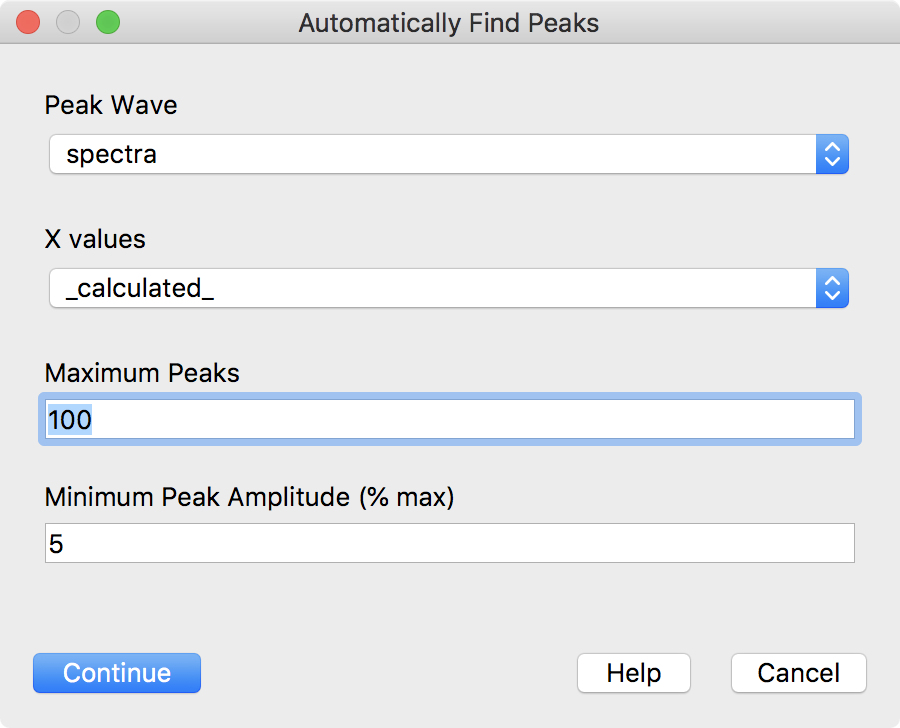
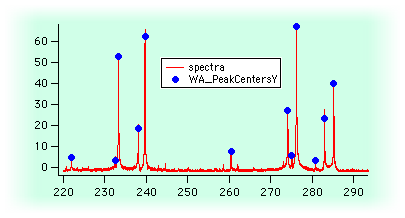
(このコードの近代化版が、Igor Pro® 8 の#include <Peak AutoFind> プロシージャファイルに追加されました。)
参照: レベル検出

Forum

Support

Gallery
Igor Pro 10
Learn More
Igor XOP Toolkit
Learn More
Igor NIDAQ Tools MX
Learn More