Stacked category plot with z wave
I am new to using Igor and am trying to create the attached graph. Unfortunately, I am having little success. Is there a way to do this without manually programming it as an image plot? In either scenario, how would I go about recreating this graph?
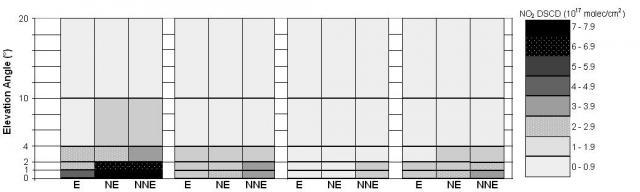





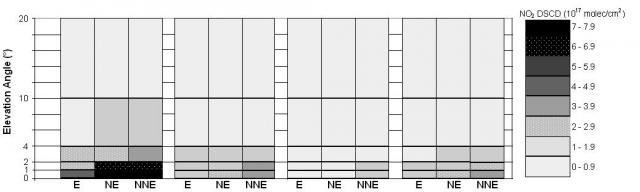
The stacked bars can be done by using either Draw to Next Grouping (what I used) or Stack on Next, depending on what data you're starting with.
The coloring/shading can be done using color as f(z).
Here's the recreation macro of an example of only one of the four category plots:
The fake data I used was this:
Note the trace order: I put the waves with the biggest values in the "back" by appending them to the graph before the waves with smaller values.
Software Engineer, WaveMetrics, Inc.
September 17, 2009 at 12:04 pm - Permalink
September 17, 2009 at 06:28 pm - Permalink