

Rotated Titlebox



Simple as the title of this wish: have an "angle=" keyord in titlebox which rotates it.
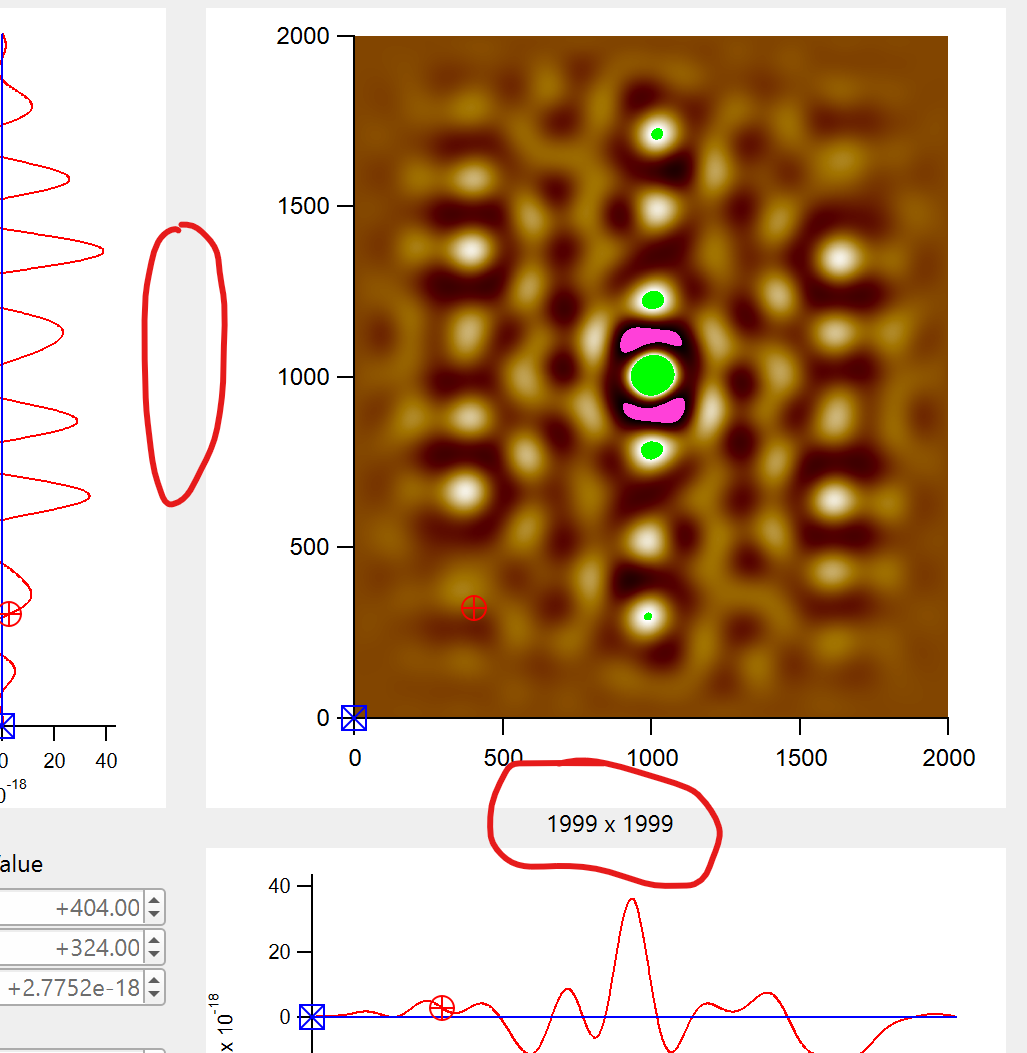
I'm dealing with XY scaled 2D waves (with various unit combinations, e.g., "nm x nm", "nm x ms", "s x Hz"; yes, I need to keep that unit info displayed) and I'd like to have the number of points as well.
Instead of "PixelP x PixelQ" in between the image and the bottom trace I'd like to have PixelQ left of the image (and PixelP at the original location, red 'circles'). The traces correspond to cuts through the image at cursor positions.
Cheers,
HJ
While I also just recently missed this option, note that you could alternatively use DrawText. It is slightly more tedious if the text needs frequent updates, but otherwise very flexible.
April 5, 2026 at 06:14 pm - Permalink
In this particular case it seems to me that labeling the graph axes might be the best approach.
As an example, I executed:
That gives an axis label of "128 points (mm)".
April 6, 2026 at 06:33 am - Permalink
I'm a bit puzzled by your question because textboxes already rotate arbitrarily. In the Add Annotation dialog, on the Position tab, there are a couple of controls labelled "Rotation". Select Fixed Angle, and set the combobox next to it to 90. You will, of course, need two textboxes. The equivalent Textbox flag is `/O=90`.
April 6, 2026 at 09:31 am - Permalink
It has been pointed out to me that you are using Titlebox controls. Indeed, those don't rotate. But you now have three other options: DrawText, which can go in either the host panel or in the graph, Textbox in the graph, or axis labels in the graph. It seems like the labels describe something about the graph, so perhaps a solution that puts the labels in the graph would be OK.
April 6, 2026 at 09:39 am - Permalink
Hi all,
Thanks for the input. I'll have a look in detail after my holiday.
I use tons of dependency formulas in this project and would like to keep things as automated as possible. The lable comes from browsing through datatsets with arbitrary units and number of data points.
Cheers,
HJ
April 15, 2026 at 01:55 am - Permalink