

Panel Control to Draw or Edit Marker Waves

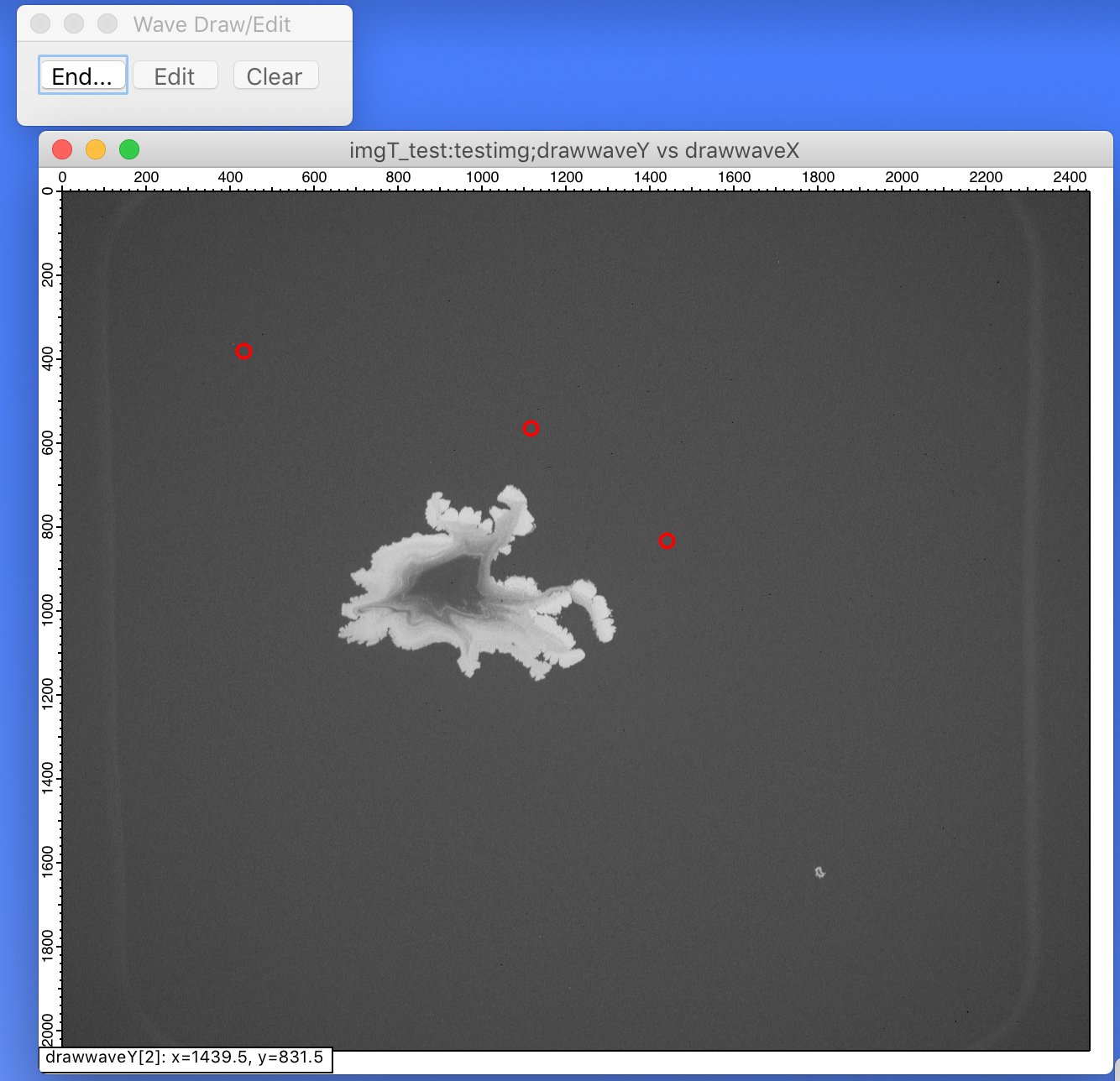
This uses a panel to create, edit, and clear a drawing wave. The waves are created in the current data folder and have the names drawwaveY and drawwaveX.
// a static constant to set the panel name
StrConstant k_panelname = "WaveDrawEdit"

// change this to set your desired marker style to create and edit the marker wave
Function set_DrawMarkerStyle(frontimgwin)
	string frontimgwin

	// set your desired marker style here
	ModifyGraph/W=$frontimgwin mode=3,marker=8,msize=5,mrkThick=2

	return 0
end

// call this to create the panel
Function show_DrawControlPanel() : Panel

	NewPanel/W=(50,50,250,100)/N=$k_panelname as "Wave Draw/Edit"
	ModifyPanel/W=$k_panelname fixedSize=1,noEdit=1
	Button bDrawControl,pos={15,10},size={50,20}, fSize=14, userdata(draw)="start",proc=ButtonProc,title="Start"
	Button bEdit,pos={70,10},size={50,20},fSize=14,proc=ButtonProc,title="Edit",disable=2
	Button bClear,pos={130,10},size={50,20},fSize=14,proc=ButtonProc,title="Clear",disable=2

	return 0
end

// do or end the drawing or editing
Function do_Draw()

	string udata, frontimgwin

	udata = GetUserData(k_panelname,"bDrawControl","draw")
	frontimgwin = WinName(0,1,1)

	strswitch(udata)
		case "start":
			Button bDrawControl, win=$k_panelname, userdata(draw)="end", title="End..."
			Button bEdit, win=$k_panelname, disable=2
			Button bClear, win=$k_panelname, disable=2
			// the drawing waves are created in the current data folder
			make/N=0/O drawwaveX, drawwaveY
			SetDrawLayer/W=$frontimgwin ProgFront
			GraphWaveDraw/W=$frontimgwin/L/T/O drawwaveY, drawwaveX
			set_DrawMarkerStyle(frontimgwin)
			break
		case "end":
			GraphWaveEdit/W=$frontimgwin/T=1 drawwaveY
			GraphNormal/W=$frontimgwin
			SetDrawLayer/W=$frontimgwin UserFront
			Button bDrawControl, win=$k_panelname, userdata(draw)="start", title="Start"
			Button bEdit, win=$k_panelname, disable=0
			Button bClear, win=$k_panelname, disable=0
			break
	endswitch

	return 0
end

// edit the drawing
Function do_Edit()

	string frontimgwin = WinName(0,1,1)

	Button bDrawControl, win=$k_panelname, userdata(draw)="end", title="End..."
	Button bEdit, win=$k_panelname, disable=2
	Button bClear, win=$k_panelname, disable=2

	SetDrawLayer/W=$frontimgwin ProgFront
	GraphWaveEdit/T=1/W=$frontimgwin drawwaveY

	return 0
end

// clear the drawing
Function do_Clear()

	string frontimgwin = WinName(0,1,1)

	GraphNormal/W=$frontimgwin
	SetDrawLayer/W=$frontimgwin UserFront
	RemoveFromGraph/W=$frontimgwin/Z drawwaveY
	Button bEdit, win=$k_panelname, disable=2
	Button bClear, win=$k_panelname, disable=2

	return 0
end

// button control
Function ButtonProc(ba) : ButtonControl
	STRUCT WMButtonAction &ba

	switch( ba.eventCode )
		case 2: // mouse up
			strswitch(ba.ctrlName)
				case "bDrawControl":
					do_draw()
					break
				case "bEdit":
					do_edit()
					break
				case "bClear":
					do_clear()
					break
			endswitch
			break
		case -1: // control being killed
			break
	endswitch

	return 0
end

Forum

Support

Gallery
Igor Pro 10
Learn More
Igor XOP Toolkit
Learn More
Igor NIDAQ Tools MX
Learn More
With one clever change, the system now keeps the markers for the drawing also when clicking the End... button. It first toggles to GraphWaveEdit/T=1, then toggles to GraphNormal.
April 24, 2020 at 08:43 am - Permalink