

"Attempt to use a null string variable" for two different types of multidata



I have old igor procedure to load a group of multi olddata. now the newdata has been added an extra column named "Ionpump". I like to revised the igor procedure to load both group of multi old data and new data.
The idea I planned to do is to load a single file first and check whether there is the column named "Ionpump". If the wave"Ionpump" exists, start to load the multi newdata, if not, start to load multi old data. The new igor procedures works fine for loading both groups of old data and new data, but a "Function Execution Error" with "Attempt to use a null string varible" came out at the end.
Please see the part of igor in attached file.
old igor procedure:
Function Loadmultidata()
      String fileName
      String fileNameBase
      String S_fileName = ""							// This is set by LoadWave.
	String S_path
	String title
	Variable fileNum
         LoadWave/Q/K=0/J/W/L={0,1,0,0,0}/A/B="C=11;C=1,F=-2;C=1,F=-2;"			// Load data from file, wavenames taken from first row
New Igor procedure:
Function Loadmultidata_ion()
     String fileName
      String fileNameBase
      String S_fileName= ""							// This is set by LoadWave.
	String S_path
	String title
	Variable fileNum
	//line
		LoadWave/K=0/J/W/L={0,1,0,0,0}/A=wave			// Load data from file, wavenames taken from first row
	print S_filename
	if (strlen(S_fileName) == 0)
		return -1										// User cancelled
	endif
	if (WaveExists(Ion_Pump_Pressure__Torr_))							//  to check to see if there is a ion pump pressure
		duplicate Ion_Pump_Pressure__Torr_, Ionpump                          // duplicate the the wave Ion_Pump_Pressure__Torr_   to ionpump
		killwaves Ion_Pump_Pressure__Torr_
	endif
	killwaves  Reading
	killwaves  DateW
	killwaves  Current_1__A_
	killwaves  Current_2__A_
	killwaves  Pressure_CC__Torr_
	killwaves  Pressure_CG__Torr_
	killwaves  Voltage_1__V_
	killwaves  Voltage_2__V_
	killwaves  Resistance_1__Ohms_
	killwaves  Resistance_2__Ohms_
	killwaves  Temperature__F_
	killwaves  Temperature_TC__C_
	killwaves  Annotation_1

	GetFileFolderInfo/Q/Z/P=filePath fileName		// check if file exists

	if(WaveExists(Ionpump))  // to check if there is ion pump pressure wave data

	 LoadWave/Q/P=filePath/K=0/J/W/L={0,1,0,0,0}/A/B="C=13;C=1,F=-2;C=1,F=-2;" fileName  // load the data with ion pump pressure
	   else
	 LoadWave/Q/P=filePath/K=0/J/W/L={0,1,0,0,0}/A/B="C=11;C=1,F=-2;C=1,F=-2;" fileName   //load the data without ion pump pressure
	endif
Use the debugger enable, the execution paused at line "if(waveexist(ionpump))" and said "attempt to use a null string vavariable". Since this line doesn't involve any
string variable, it confused me. It would be appreciated if anyone could give some suggestions. Thanks.
Bruce
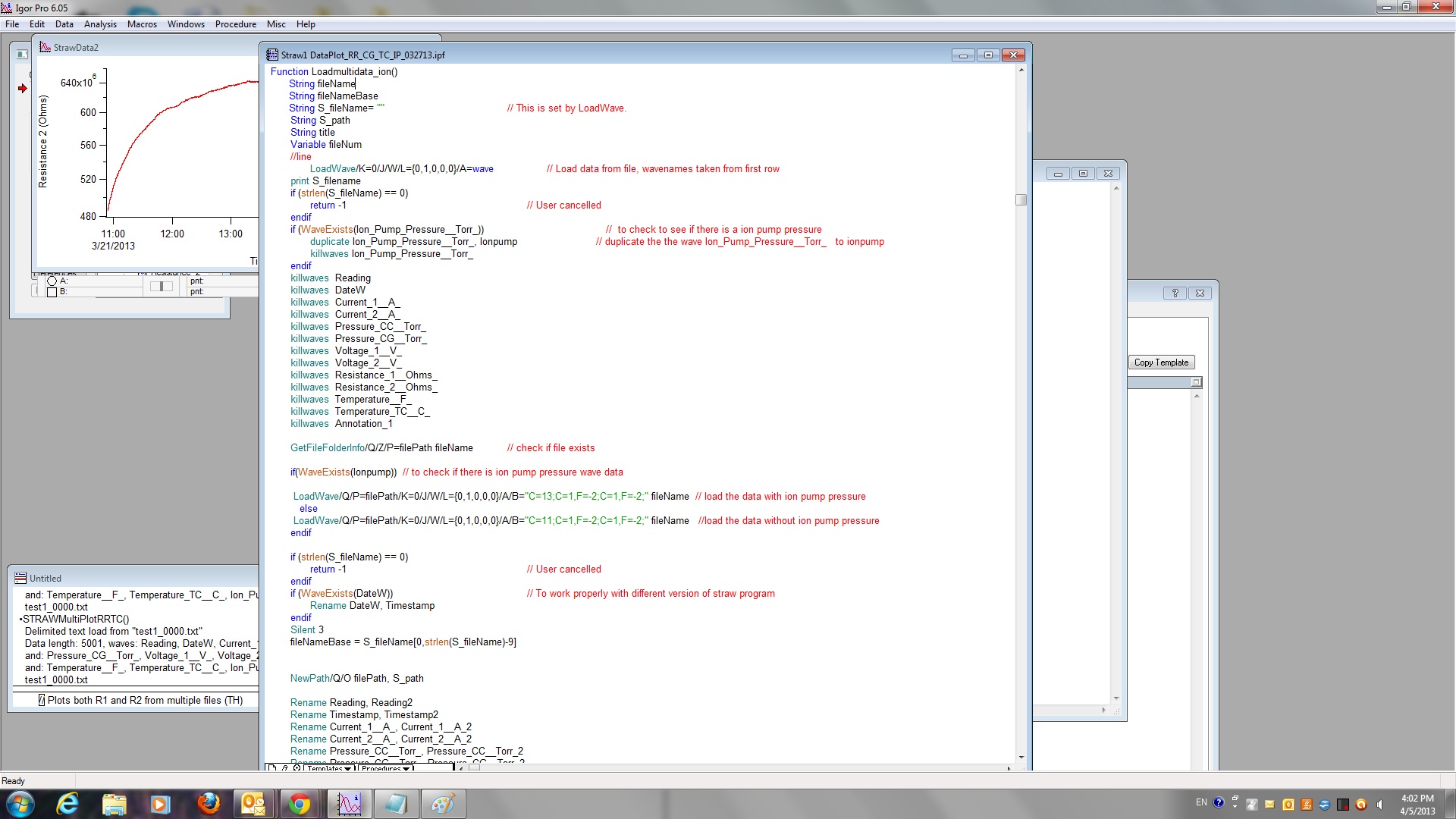
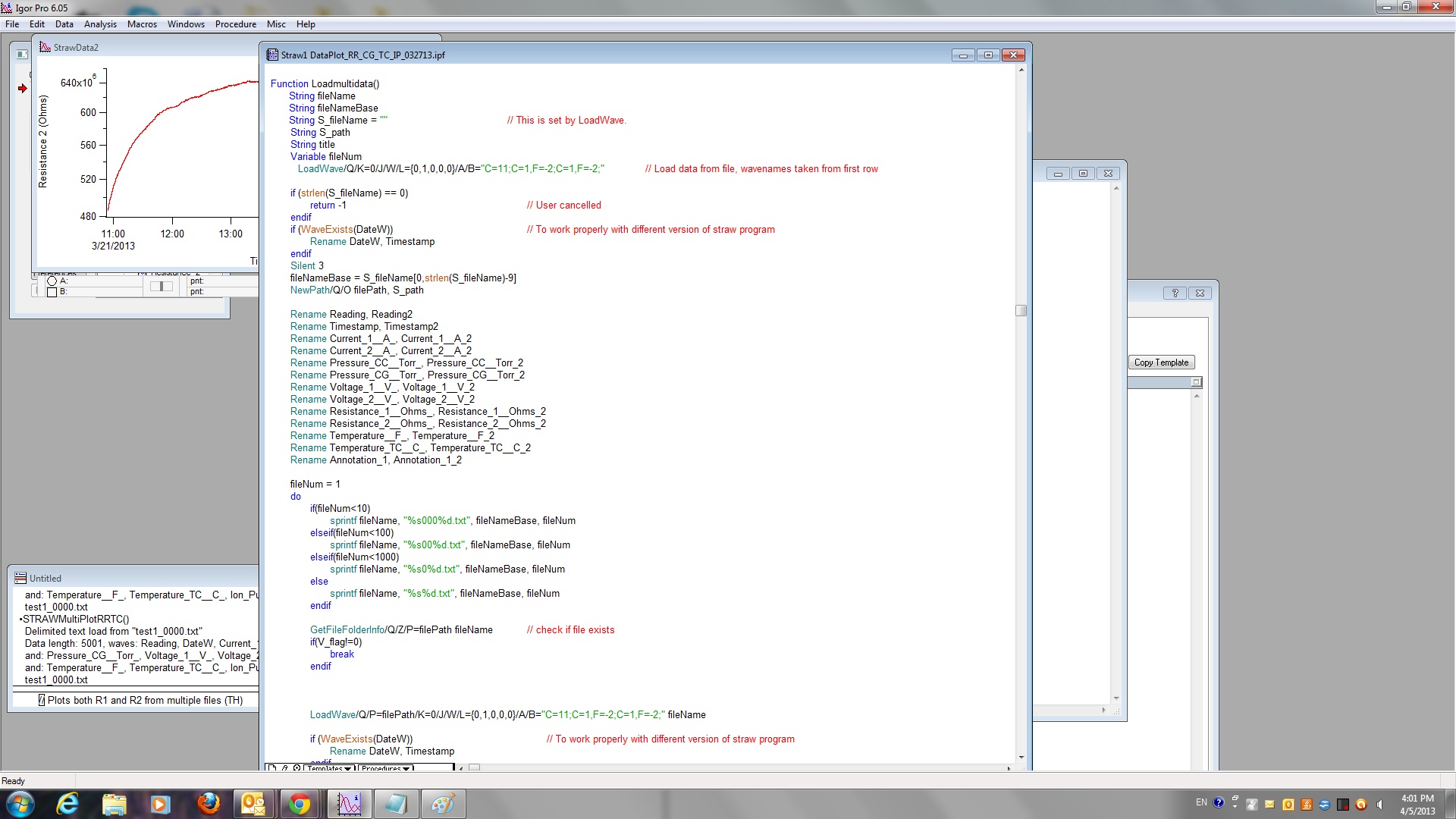
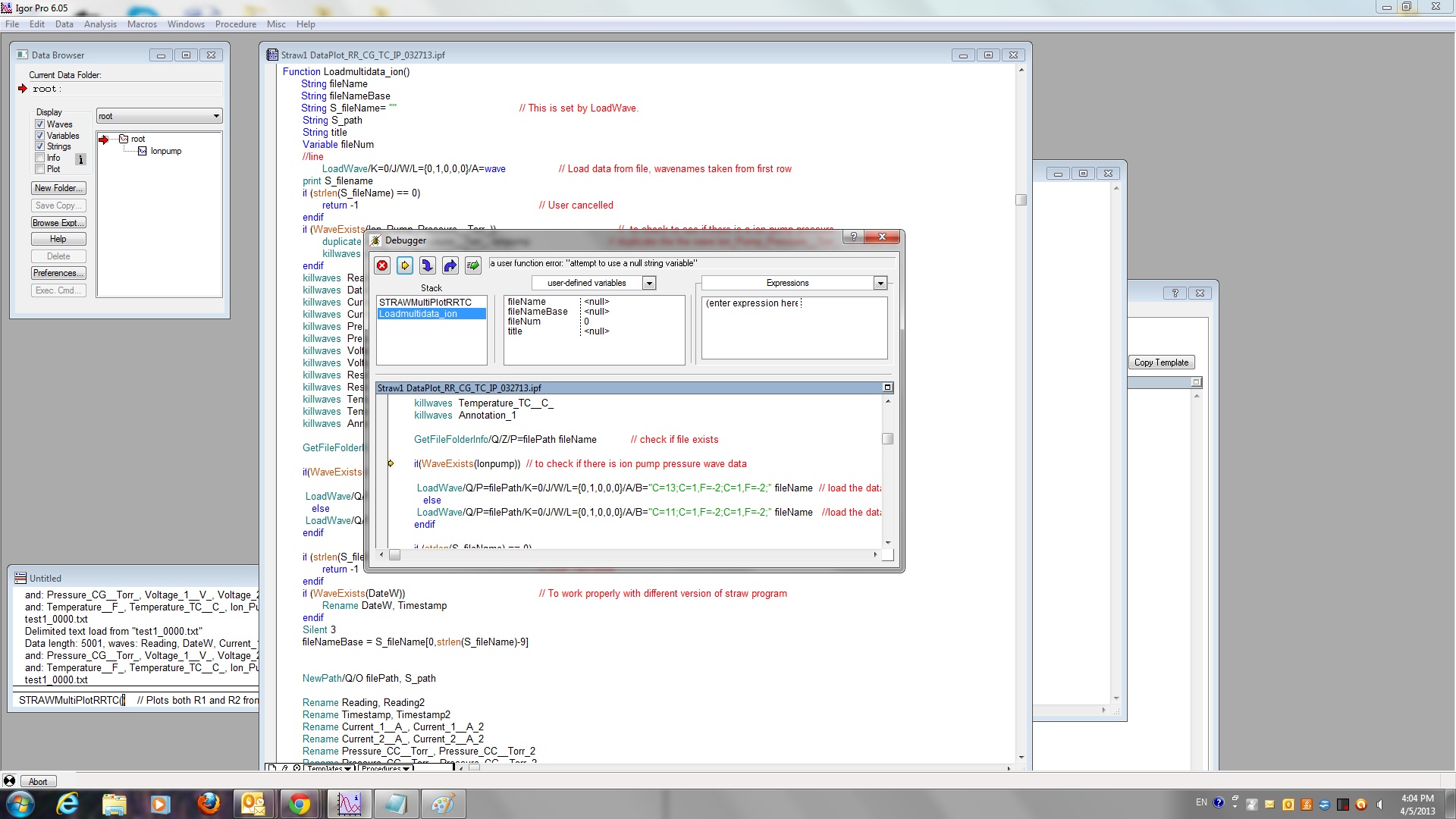
The debugger often stops one line after the real problem. In this case the real problem is that the string variable fileName is uninitialized. Note that fileName is not the same as S_fileName which is automatically created and set by LoadWave.
BTW, I formatted the Igor code in your original post. See http://www.igorexchange.com/node/3221 for details.
April 5, 2013 at 02:47 pm - Permalink
Thanks very for your help. Can you please show me how to initialize the string variable filename in my case?
Best
Bruce
April 8, 2013 at 09:36 am - Permalink
I can't tell from your code what you want fileName to contain. Here are some possiblities:
In the latter case you would have to set fileName AFTER S_fileName is created, i.e., after LoadWave executes.d
April 8, 2013 at 11:05 am - Permalink
Instead, first define them as a local wave reference with the following code:
In this manner you can define multiple local wave references (wave1, wave2, wave3, etc.) for all of those that were imported, and act on them instead of the direct names of each wave. This allows for far easier and more universal programming as well.
Even in my example the wave1 reference is statically defined; however, you can embed it as a variable in the following way:
In this function, you can then pass a string of the wave name to load, such as the following:
...and it will load the data and process the named wave, which you can specify as another name if you have multiple data sets of different names to use.
April 8, 2013 at 02:43 pm - Permalink