

ControlBar /exp Error



Hi All,
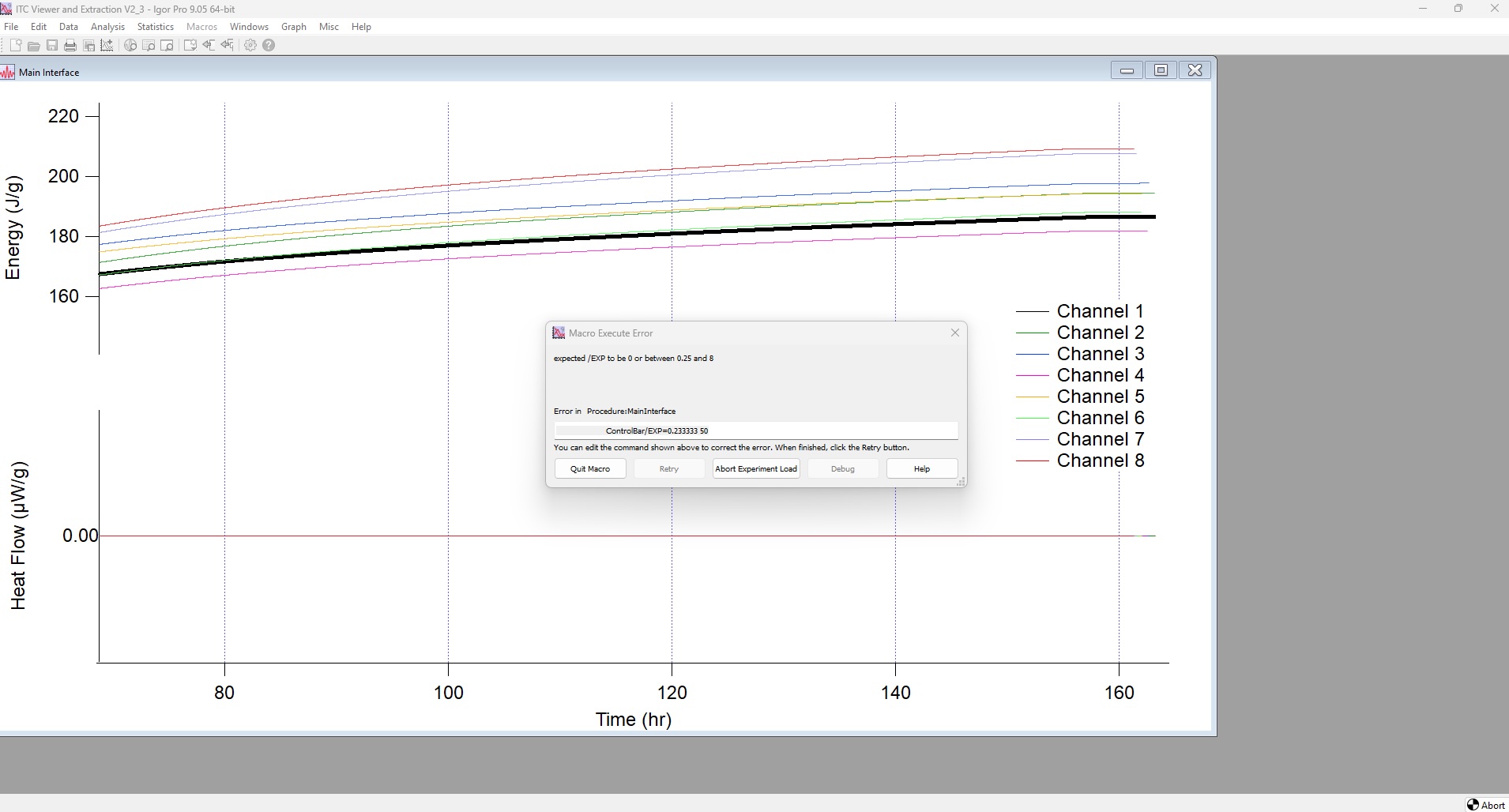
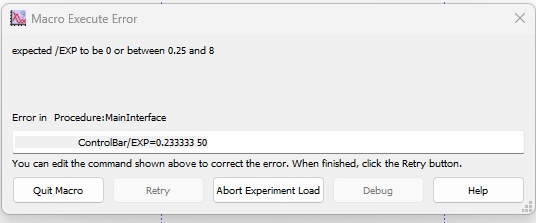
I built an experiment to extract figures of merit from an Isothermal Calorimeter for some users - all well and good. They have been using it for about a year now without issue. Today the main user reported this error upon opening the experiment.
There is a controlbar set in the script but it does not use the /EXP flag. In fact I had to dig up what it did in the manual. We worked around the issue by changing the line in the dialog to controlbar 50.
The question is to why this happened in the first place. The user typically runs and adds new data to the experiment. Is there something the user could of done that would have added the /exp flag?
Andy
First thought: Which version of IP did the user have, and in which version of IP was your package developed?
I've had occasional glitches with control bars in packages under IP 9, seemingly when other packages write to the graph that has the control bar. Nothing I can truly pin down in a way you report.
Suggestion: In a revision to your package, try explicitly setting /EXP=(somenumber) in the invocation of the controlbar.
November 11, 2026 at 10:04 am - Permalink
Developed and deployed in IP9.
I am on a Mac so I can't go to IP10, client is on Windows but is still using IP9.
Andy
November 11, 2026 at 11:22 am - Permalink
I think you can change the expansion factor of a panel either via something in tools or via the menus.
November 11, 2026 at 11:32 am - Permalink
I wonder also whether this is a glitch that arises if the pxp is closed on a screen at one resolution and reopened on a screen at a different resolution?
--
JJW
November 11, 2026 at 12:52 pm - Permalink
As far as I know, you cannot set the expansion for a controlbar below 50% from the menu and the error only appears below 25%. Also, the Graph expansion and controlbar expansion should be independent from each other. Does this happen upon startup of the experiment file? You could check whether the problematic line in question appears in the startup macros of the file. You can open pxp files in a simple text editor. The startup macros are written in plain text at the end of the file.
November 12, 2026 at 05:12 am - Permalink